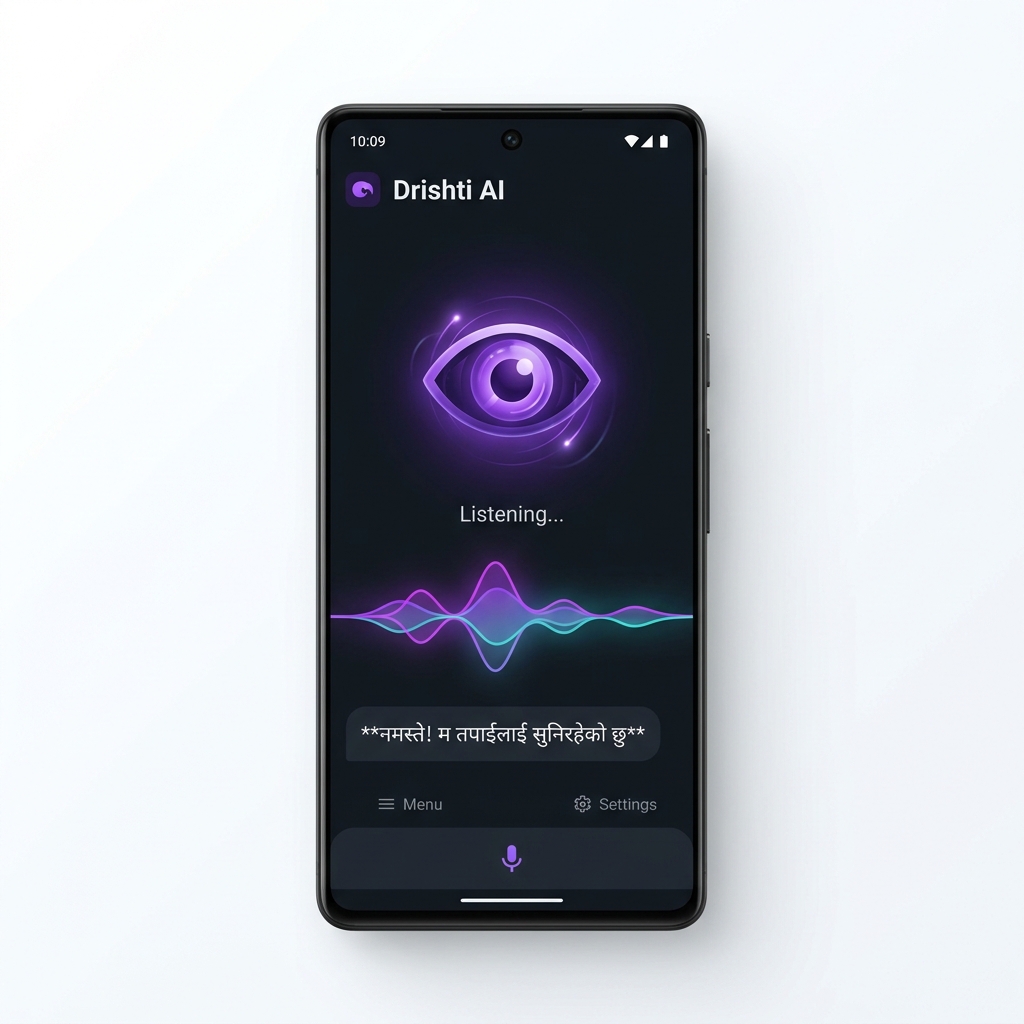
Drishti AI is a real-time voice and visual assistant. Point your camera at anything — it sees, understands, and talks back in Nepali or English.
Unlike other AI tools, Drishti AI was built from the ground up for accessibility, Nepali language, and hands-free use.
Continuously scans through your camera in real-time — no need to tap "capture" every time. It describes scenes dynamically as you move.
Fully hands-free. Speak naturally — the assistant listens, understands, and responds without touching the screen.
Point at any book, document, or sign. Drishti AI reads it aloud — perfect for studying, reading labels, or accessing printed content.
Speaks and understands natural Nepali. No robotic translation — conversations flow naturally, just like talking to a friend.
Interrupt the assistant mid-sentence — it stops and listens immediately. Barge-in support for a truly natural conversation flow.
Audio responses stream back in chunks with near-zero latency — no waiting for the full response to load before hearing it.
Drishti AI has powerful built-in tools. Just speak naturally — it figures out what you need.
Real-time two-way voice conversation with your AI companion. Press power button and start speaking.
Enable camera so the AI can see your surroundings — describe scenes, read text, identify objects.
Get today's BS date, lunar Tithi, Panchanga details, festivals and public holidays from Hamro Patro.
Daily horoscope prediction for any zodiac/rashi sign from Hamro Patro in Nepali or English.
Latest daily vegetable and fruit prices from Kalimati Market — average, max and min rates.
Live Hallmark gold, Tejabi gold, and silver rates per Tola and per 10 grams in Nepal.
Latest Petrol, Diesel, Kerosene and LP Gas prices for all regions of Nepal from NOC.
Live NEPSE index and all sector sub-indices (Banking, Hydropower, Microfinance, etc.) from Nepal Stock Exchange.
Search Google for any real-time topic, current events, news or factual information.
Instantly look up any topic on Wikipedia for a detailed summary and explanation.
Fetch the latest headlines and articles on any topic from around the world.
Search blindhelp.net for accessible software, screen readers (NVDA, JAWS), and guides for visually impaired users.
Find nearby pharmacies, hospitals, restaurants, banks, police stations around your GPS location.
Step-by-step walking directions from your current location to any destination with distance and time.
Evaluate any mathematical or scientific expression — arithmetic, trigonometry, unit conversions and more.
Save and retrieve personal facts that persist across sessions. The AI remembers things about you.
Download the Drishti AI APK file directly to your Android device. No Play Store required.
Open Play Store > Account > Play Protect > Settings > Toggle OFF "Scan apps with Play Protect" > Pause > Enter PIN/Fingerprint. Then install Drishti AI from your downloads.
Open the app and grant Accessibility Services. Say "Hello" and start talking to your AI companion!
Choose the right plan to unlock 100% ad-free experience, unlimited voice & vision calls, and local offline GPU AI models.
Basic Trial & Companion Access
Unlimited Voice, Vision & Smart Home
Offline Gemma Local Model & Publishing
Available for Android. Download APK to unlock subscription features.
Requires Android 7.0+. Enable "Install from unknown sources" in settings.
Latest features, updates, security hardening, and performance improvements in Drishti AI.
Drishti AI offers an affordable PRO Companion Plan at NPR 250 / month ($1.99 USD) with 100% Zero Ads and unlimited Gemini Live calls, an ULTIMATE VIP Plan at NPR 500 / month ($3.99 USD) with offline Gemma 2B local GPU model, and a basic Free Explorer trial tier. Payments are made easily via eSewa / Khalti QR code with instant email receipts sent from noreply@drishti.sushil0.com.np!
Drishti AI requires Android 7.0 (Nougat) or higher. It works best on Android 10+ for optimal camera and voice performance.
Drishti AI is distributed as a direct APK file, not through the Google Play Store. Android requires you to allow installation from sources outside the Play Store. This is safe — go to Settings → Security → Enable "Install unknown apps" for your browser or file manager.
Yes, an internet connection is required because Drishti AI uses advanced cloud AI models (like Google Gemini) to understand what it sees and hears. A Wi-Fi or 4G connection is recommended for the best experience.
When you open Drishti AI, it automatically checks our server for the latest version. If a new version is available, you'll be notified and can download the update directly from within the app.